
How to choose a home robot for companionship
Try three things you would actually do at home: walk from the living room to the dining table, set a reminder to leave and call a family member. Let the person who will use the robot try its voice, calls and privacy settings.
Can it get from the living room to the table?
Measure the narrowest point along the usual route. Leave chairs in their everyday positions and see whether the robot can pass, turn and return to its dock. Kangkang’s mobile base is 25 cm wide. Turning and obstacle avoidance need extra clearance. Use it on dry, level indoor floors and keep it away from stairs and high thresholds. See Kangkang’s specifications.
Can it start an interaction, and can family join from elsewhere?
Set a reminder in the app for two minutes from now. Listen for Kangkang’s spoken reminder, answer it and check the response record. Then try a remote session: get consent from those present, keep the robot online and use the app to steer it closer along a clear route. A person at home can also call a preset contact, who needs to answer for the call to connect. See a reminder and remote-contact example.
What should you check about privacy, setup and support?
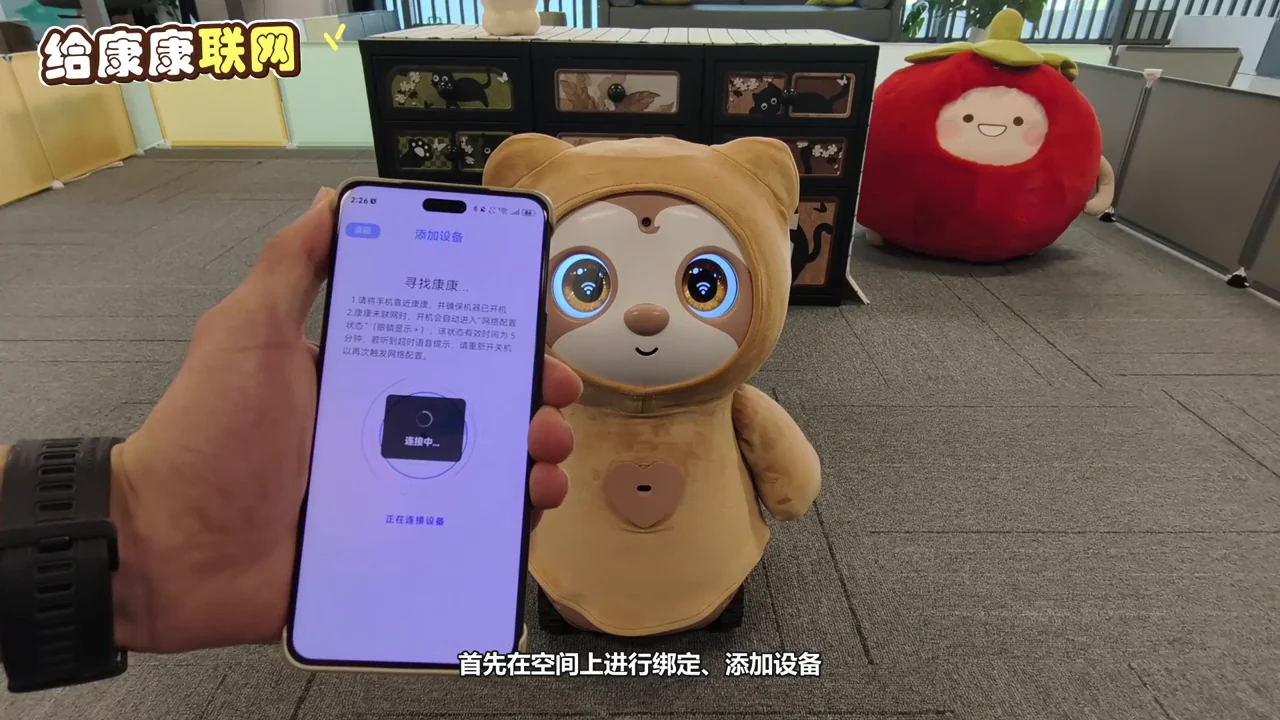
Ask for a demonstration of who can open the robot’s camera view and read the current product privacy notice. Kangkang processes routine images on the device. Conversation text is desensitized before cloud processing. Remote viewing is opened temporarily when an authorized family member starts it. At home, make space for the dock, have Wi-Fi ready and pair the robot in the 心忆同启 app. For support, keep the receipt and note the device version and symptoms. Setup instructions · Contact support.
How do home service robots and companion robots differ?
Start with the job you want done. For cleaning, test the floor-cleaning task. For companionship, see whether the robot approaches, starts a conversation and helps you call family. Kangkang is designed for this second use.
Questions and answers
Will a 25 cm base fit through a 25 cm gap?
Turning and avoiding obstacles need extra clearance. Test the route with chairs in their usual positions and check thresholds and floors.
Can I see whether someone answered a reminder?
The app shows the response to that reminder. Call the person if you need to know whether they completed the activity.
What do I need for setup?
Have home Wi-Fi, a phone with 心忆同启 and a dry, level spot for the dock. Follow the supplied guide to pair the device, map the room and register family members.
Gifts for older relatives · Companionship at home · Reminders and family calls
Kangkang is a home companion robot. It is not a medical device, does not diagnose or treat medical conditions, and is not a substitute for family care or medical services.